
The Complete Guide to PCB Panelization
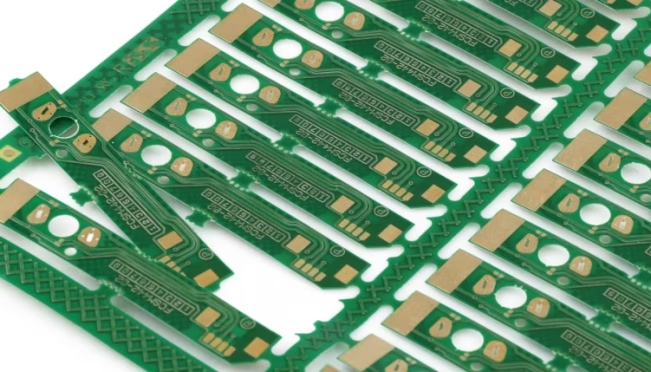
Table Of Contents
In the hyper-competitive world of electronics manufacturing, the transition from a laboratory prototype to a mass-market product is fraught with logistical and financial hurdles. As modern consumer electronics trend toward miniaturization—exemplified by wearables and IoT sensors—the physical dimensions of individual Printed Circuit Boards (PCBs) have shrunk beyond the handling capabilities of standard Surface Mount Technology (SMT) assembly lines.
Enter PCB Panelization. This is not merely a mechanical convenience; it is a sophisticated manufacturing strategy. By grouping multiple smaller boards into a single, standardized “panel” or “array,” engineers can harmonize the requirements of high-precision design with the realities of high-speed industrial automation. This guide provides an exhaustive technical deep-dive into panelization, serving as a definitive resource for professional engineers, researchers, and students aiming to optimize production efficiency and structural integrity.
1.What is PCB Panelization?
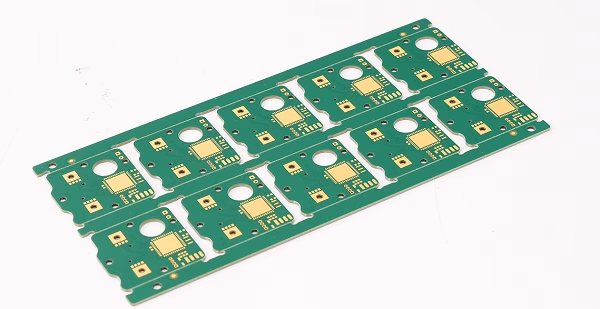
At its core, PCB Panelization is the practice of arranging multiple PCB units onto a larger substrate (the panel) to facilitate simultaneous fabrication, assembly, and testing. A typical industrial panel might range from 18 x 12 inches to 24 x 18 inches, depending on the manufacturer’s equipment.
In a professional SMT line, the panel acts as a “carrier.” Machines like solder paste printers and pick-and-place robots are calibrated for specific minimum frame sizes. If a board is too small (e.g., 20mm x 20mm), the conveyor belts cannot grip it, and the high-speed movement would cause it to vibrate or flip. Panelization solves this by providing a stable, rigid platform. The process concludes with depanelization, where the individual units are extracted from the “mother” panel using mechanical or thermal methods.
2.Advantages of Using Panelized PCB
The decision to panelize is driven by several critical factors that impact the entire product lifecycle:
2.1 Optimization of Throughput and Efficiency
Automated assembly lines are defined by their “tact time”—the rate at which a unit is completed. Setting up a machine for one small board is inefficient. Panelization allows a single stencil to apply solder paste to 20 or 50 boards at once, and a pick-and-place head can populate the entire array in one continuous operation. This drastically reduces the overhead time associated with loading and unloading boards.
2.2 Structural Rigidity and Thermal Stability
Small, thin PCBs (under 1.0mm thickness) are prone to warping under the intense heat of a reflow oven. A well-designed panel includes “waste” areas or rails that provide mechanical strength, ensuring the boards remain flat during the soldering process. This prevents “tombstoning” of components and ensures high-quality solder joints.
2.3 Drastic Cost Reduction
In PCB fabrication, you pay for the area of the laminate used. If your design is an irregular L-shape, fabricating it individually leads to significant material waste. By “nesting” these shapes within a panel, manufacturers can achieve near-100% material utilization, lowering the unit cost significantly.
2.4 Simplified Testing and Quality Control
Technicians can perform Automated Optical Inspection (AOI) and In-Circuit Testing (ICT) on the entire panel before it is broken down. This batch-testing approach makes it easier to track manufacturing defects across a specific production run.
3.Different Combinations for PCB Panelization
The geometry and variety of the boards determine the layout strategy:
3.1 Same-Board Array (Uniform Panelization)
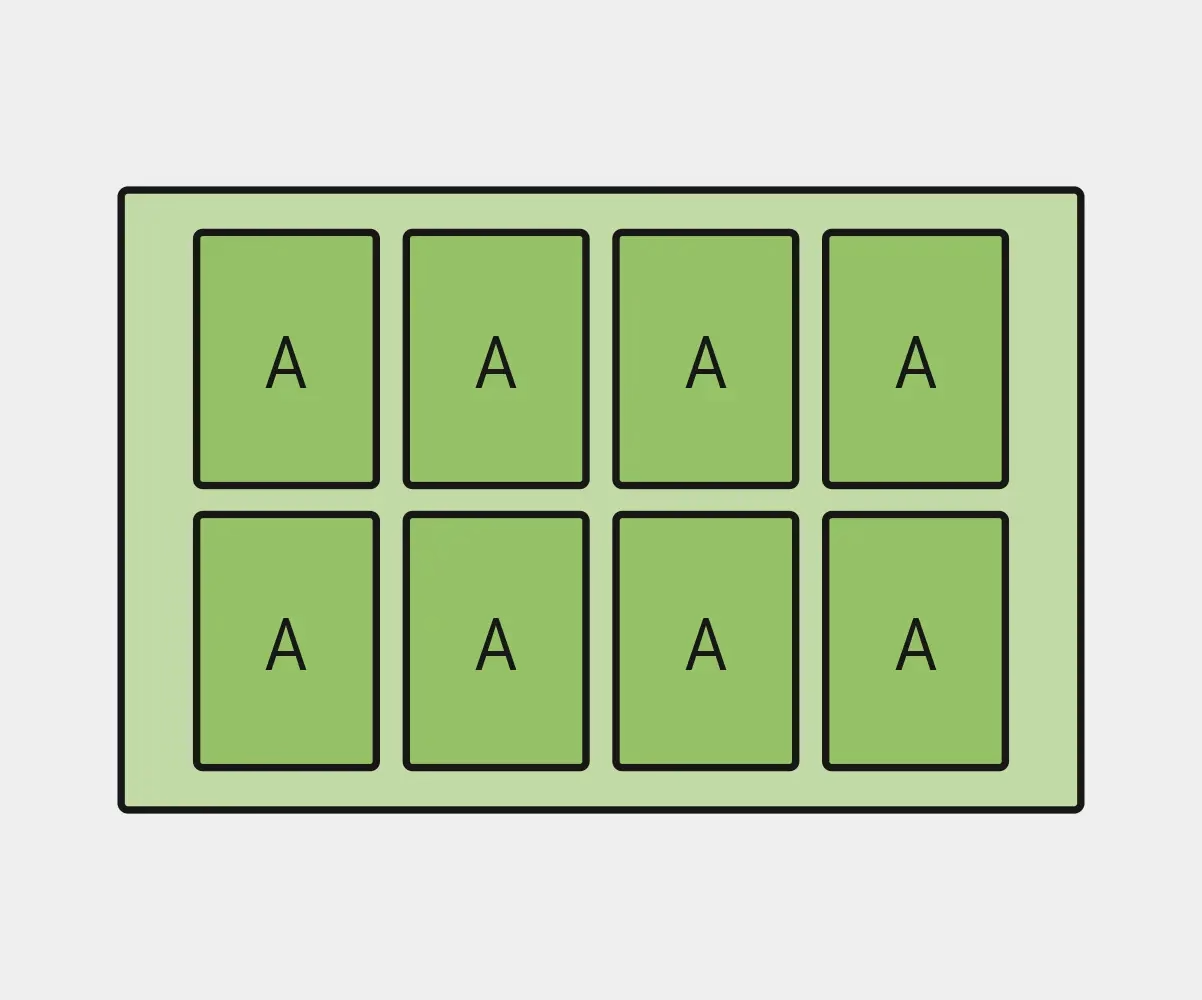
This is the industry standard for high-volume production. Multiple copies of the same design are laid out in a grid. This is the simplest to program for CNC machines and pick-and-place robots.
3.2 Different-Board Array (Mixed/Heterogeneous Panelization)
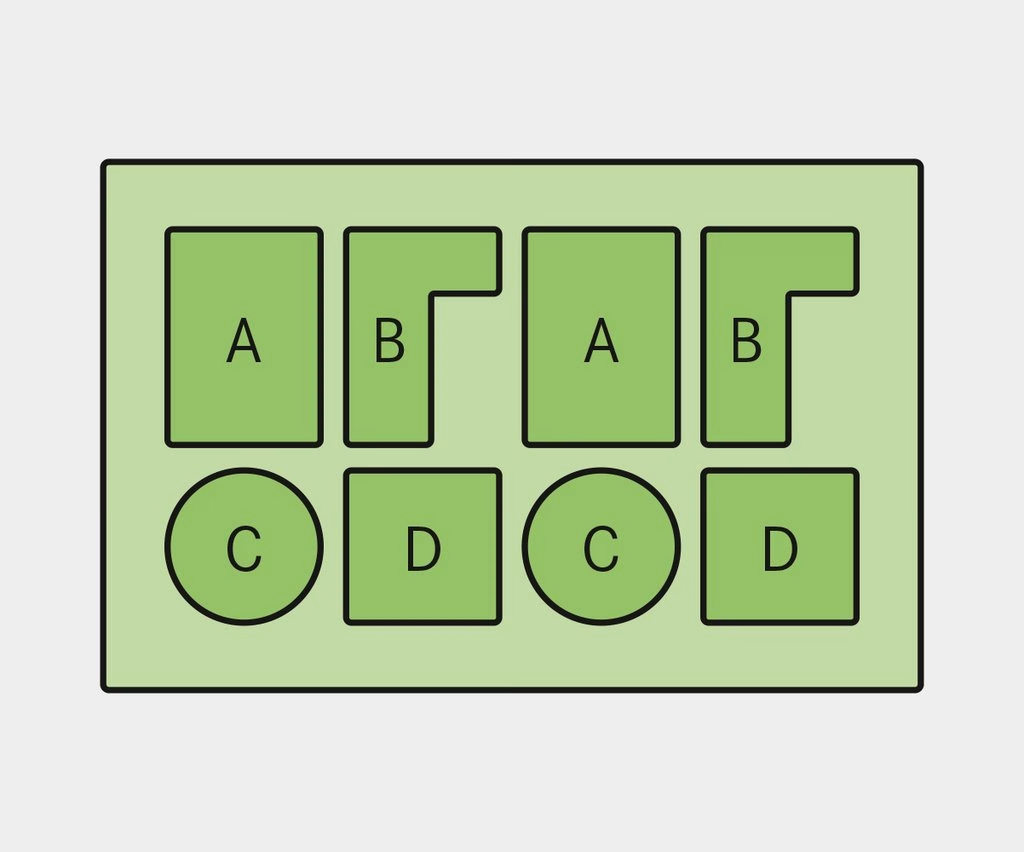
In complex systems (like a smartphone), you might have a main logic board, a charging sub-board, and a camera module board. By panelizing these different designs together, you ensure that for every “set” produced, you have exactly one of each component required for the final assembly. This synchronizes inventory management.
3.3 Rotation and Nesting
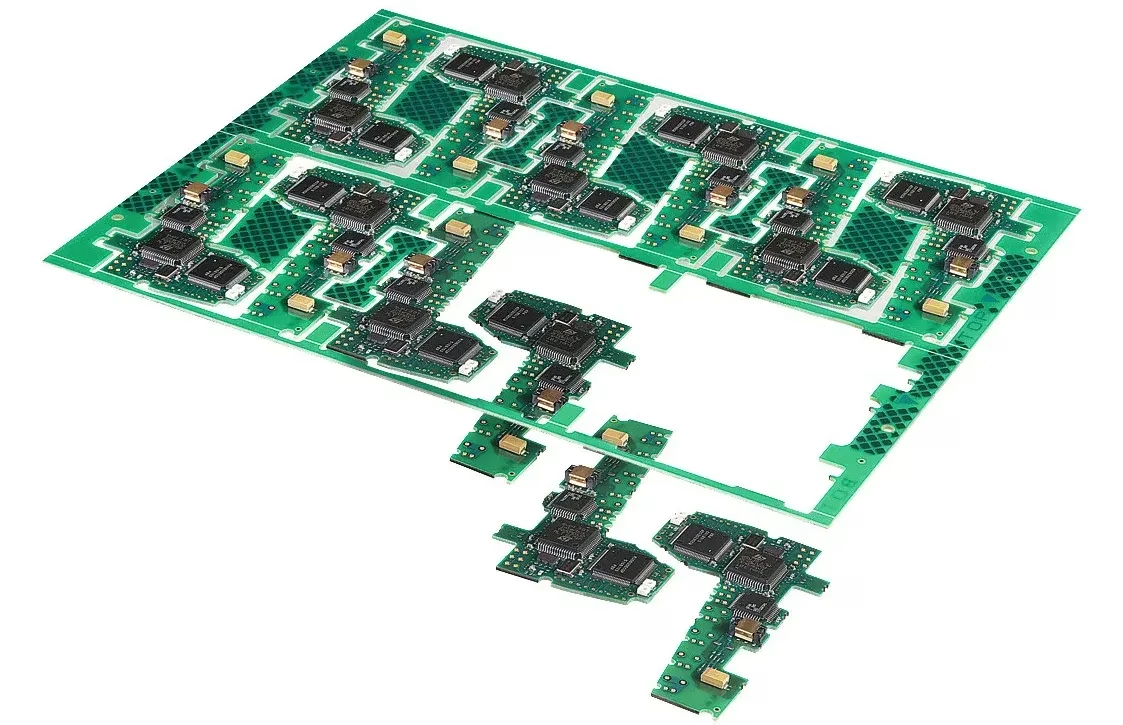
To save space, boards can be rotated 90 or 180 degrees. For example, “L-shaped” boards can be interlocked (nested) to minimize the gaps between them, further reducing material waste.
4.Techniques for Making a PCB Panel
Choosing the right connection method is vital for the mechanical success of the panel.
4.1 V-Scoring (V-Cut)
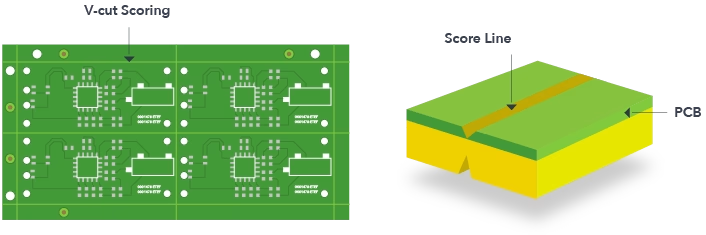
V-scoring involves cutting a shallow, V-shaped groove into both the top and bottom of the PCB substrate, leaving a thin “web” of material in the middle.
- Pros:Very space-efficient (no gap required between boards); provides a straight, clean break.
- Cons:Only works for straight lines that go across the entire panel; cannot be used for boards with components too close to the edge.
4.2 Tab Routing (with Mouse Bites)
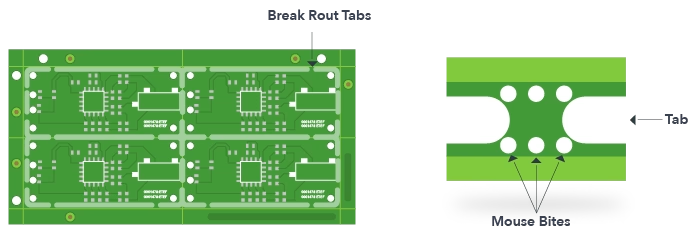
In this method, the boards are separated by a routed path, held together by small “tabs” of material. To make separation easier, these tabs often feature “mouse bites”—a series of small perforated holes.
- Pros:Perfect for irregular, circular, or complex shapes.
- Cons:Leaves rough edges (the remains of the mouse bites) that may require sanding; uses more board area because of the routing bit width (usually 2.0mm to 3.0mm).
4.3 Solid Tabs
For heavy components or boards that require extreme rigidity, solid tabs without perforations are used. These must be cut with a specialized router or saw, as they cannot be snapped by hand.
5.Designing for Panelization: Key Considerations
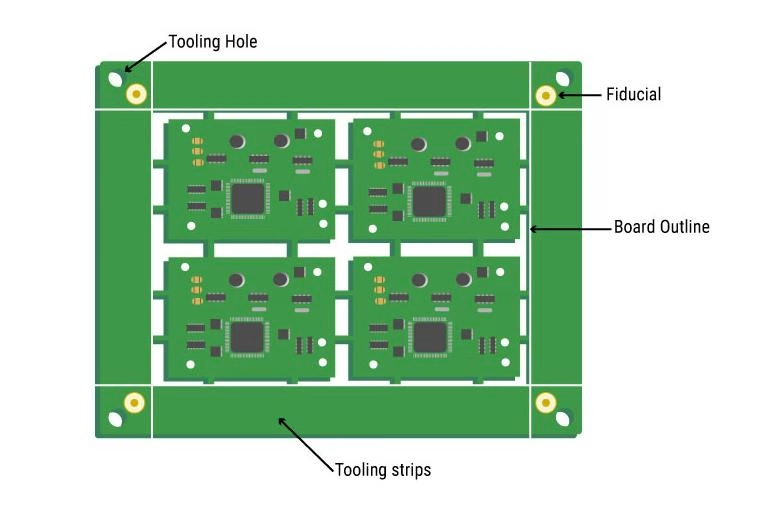
Effective panelization requires foresight during the CAD design phase. Engineers should follow these DFM (Design for Manufacturing) rules:
- The 5mm Rule:Keep all copper traces, pads, and components at least 5mm away from the panel’s outer edge and 0.5mm to 2mm away from V-score lines. This prevents mechanical stress from cracking ceramic capacitors during separation.
- Fiducial Marks:Every panel must have at least three global fiducial marks (1.0mm diameter copper circles) on the rails. These help the assembly robots calibrate their X-Y coordinates relative to the panel.
- Tooling Holes:Non-plated holes (usually 3.05mm) should be placed in the corners of the panel rails. These are used to “pin” the board into testing fixtures or assembly pallets.
- Edge Clearance for Connectors:If a USB port or headphone jack overhangs the board edge, V-scoring is impossible on that side. You must use tab-routing with a wide enough gap to accommodate the component’s “nose.”
6.Tools for PCB Panelization
In PCB manufacturing and assembly, panelization is a crucial step that makes production more effective and economical. Software tools, panelization equipment, and specialized tooling are some of the items available to help with the panelization process.
6.1 Software for PCB Design
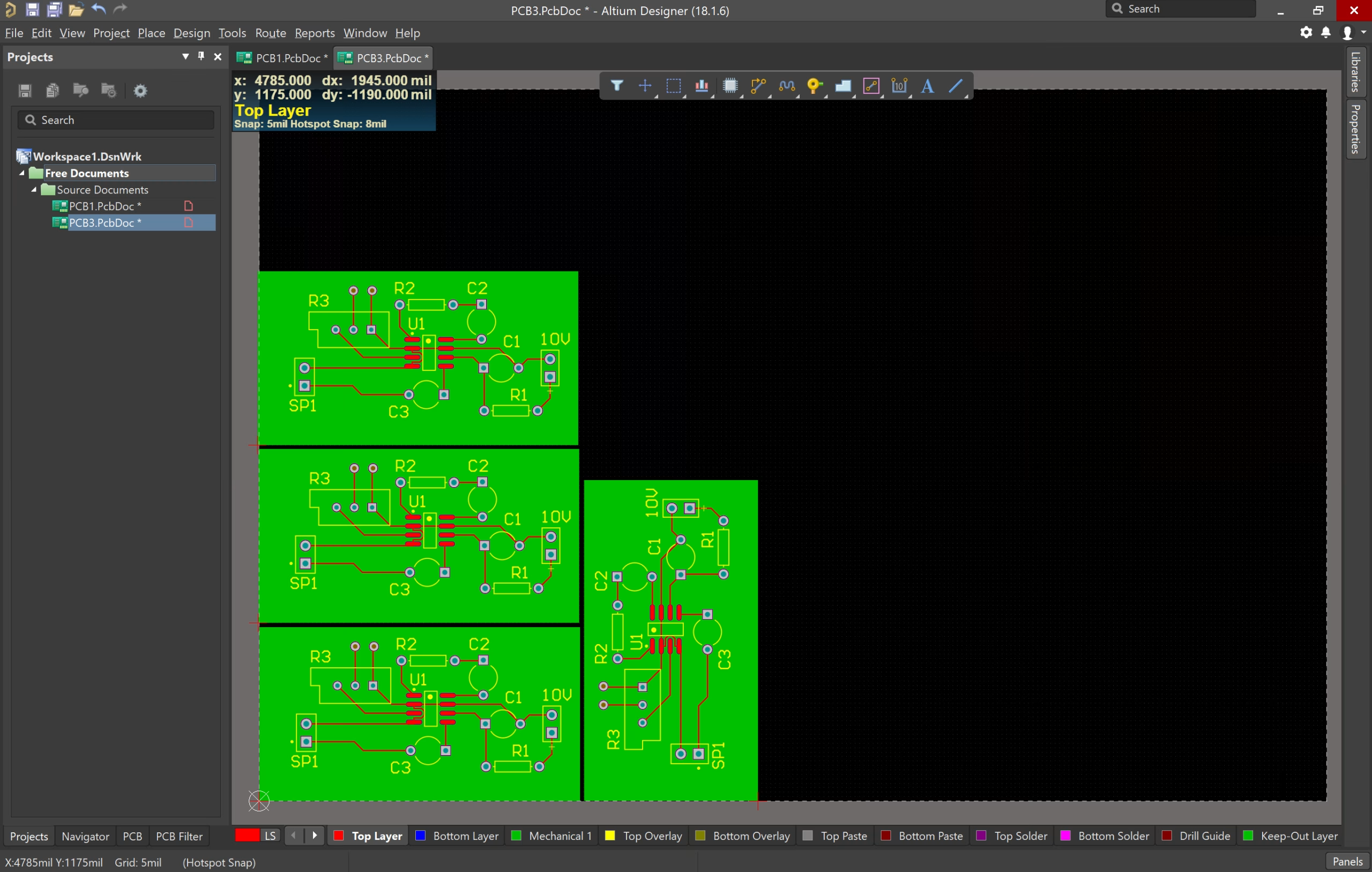
Because it enables the layout and design of each PCB to be optimized for panelization, PCB design software is an essential tool for panelization. With capabilities like panelization templates, array tools, and step-and-repeat functionalities, software programs like EasyEDA, Altium Designer, Eagle PCB, and KiCad enable the construction of panelized PCB designs.
6.2 Equipment for panelization
After the manufacturing process is finished, the individual PCBs are physically separated from the panel using panelization equipment. For this reason, equipment including punching, routing, and V-cut are frequently utilized. These instruments are made to make precise and clean cuts or perforations in the panel, making it simple to separate the various PCBs.
6.3 Expert Tools
Panelization is aided by specialized equipment including pick-and-place machines, stencil printers, and reflow ovens. By automating and streamlining the manufacturing and assembly process, these technologies can cut down on the time and effort needed for manual assembly.
6.4 Tools for Quality Control
To guarantee the final product’s quality and dependability, quality control tools like testing apparatus, X-ray machines, and inspection cameras are employed. By using these tools, flaws or problems that can occur throughout the panelization process can be found and fixed before the finished product is sold.
7.How to Depanelize PCB Panels?
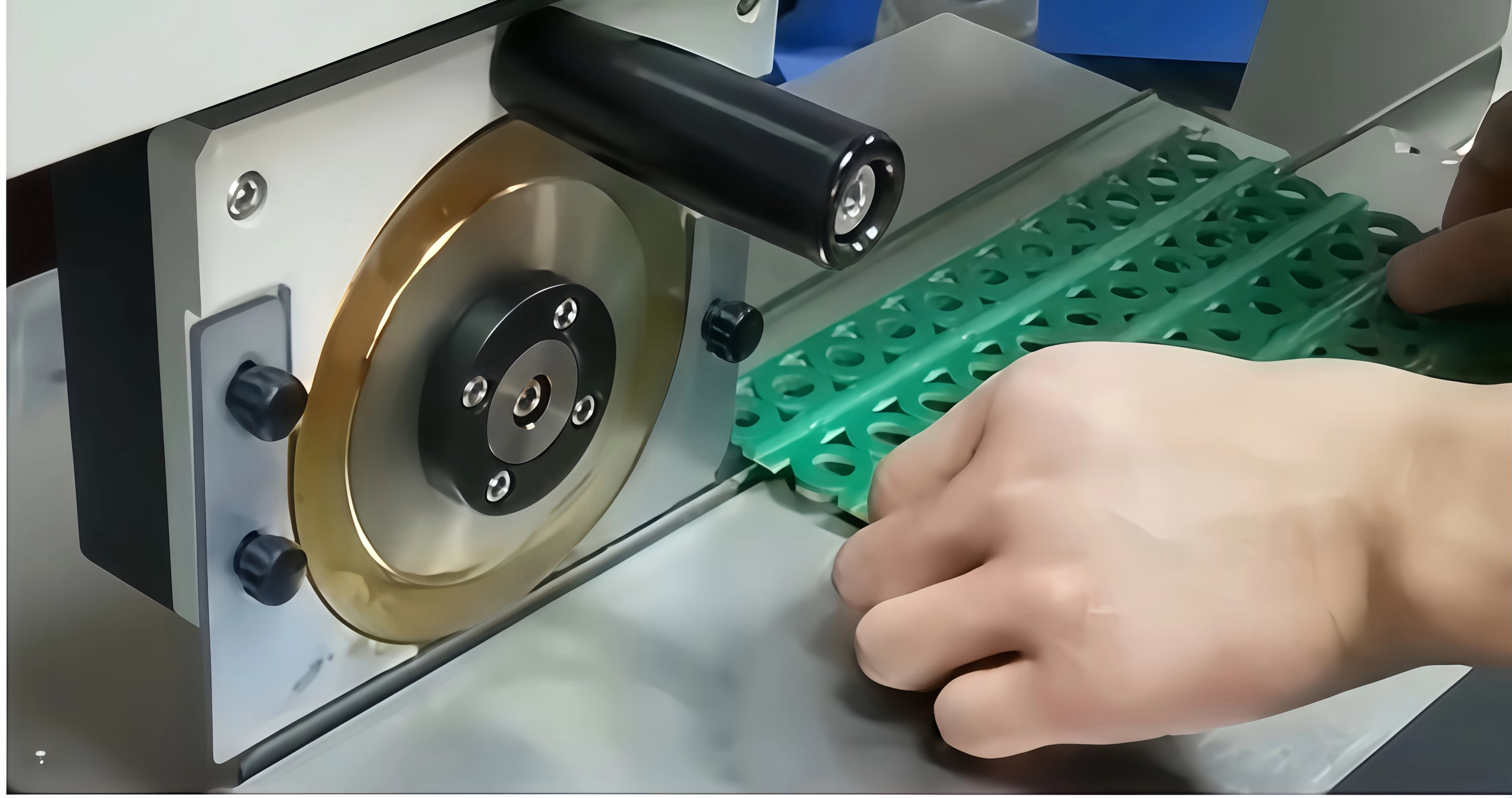
Depanelization is the most “dangerous” step for the finished electronics, as mechanical vibration can damage solder joints.
- Manual Snapping:Cheap but risky. Only suitable for low-complexity V-scored boards.
- Pizza Cutter (Circular Blade):A handheld or machine-mounted blade that follows the V-score. It reduces stress compared to manual snapping.
- Punching Die:A custom mold “punches” the board out of the panel. Fast and accurate, but the tooling cost is high—only viable for very high volumes.
- Depaneling Router:A CNC machine with a tiny bit that cuts the tabs. It provides the cleanest edges and zero mechanical stress on components.
- Laser Depaneling:The gold standard for flex-circuits and ultra-thin PCBs. It uses a CO2 or UV laser to vaporize the material, leaving no burrs and applying zero physical force.
8. Challenges and Solutions in Panelization
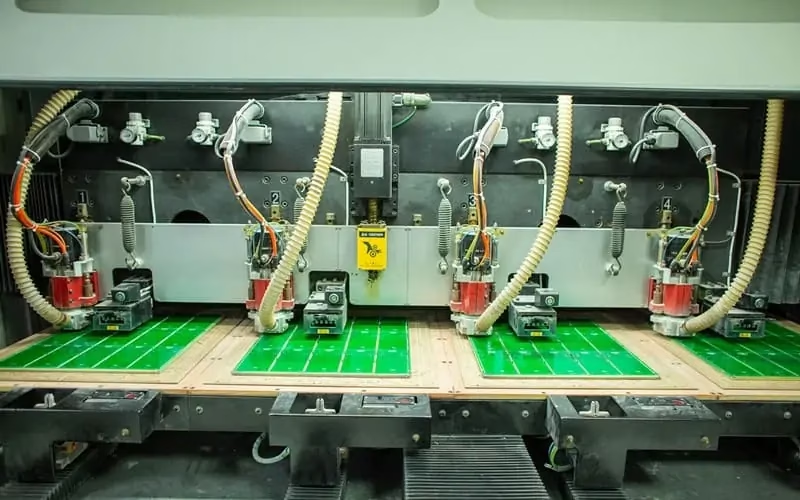
Panelization is not without its risks. For engineers and researchers, understanding these challenges is critical to preventing costly production failures.
8.1 Mechanical Stress and Micro-cracking
Challenge: During the depanelization of V-scored panels, the board undergoes significant bending stress. This “flexing” can lead to micro-cracks in brittle components like MLCCs (Multi-Layer Ceramic Capacitors) and large BGA (Ball Grid Array) packages. These cracks are often invisible to the naked eye but cause field failures weeks or months later.
Solution: *Component Orientation: Always orient sensitive components parallel to the V-cut line, not perpendicular.
Keep-out Zones: Implement a strict 3mm to 5mm “keep-out” zone near tabs or score lines.
Equipment Choice: Switch from manual snapping to automated “pizza cutters” or CNC routers which apply significantly less stress.
8.2 Thermal Warping and “Sagging”
Challenge: During reflow soldering, the panel reaches high temperatures, causing the FR-4 material to soften (approaching its Tg point). Large panels or panels with uneven copper distribution can warp or “sag” in the middle, leading to misaligned components or uneven solder thickness.
Solution: * Copper Balancing: Ensure that the copper density is balanced across the panel and on both sides (top/bottom) to prevent uneven expansion.
Breakaway Rails: Add internal support rails (dummy strips) to increase the Moment of Inertia of the panel.
Reflow Carriers: For ultra-thin boards, use a dedicated SMT carrier (pallet) made of synthetic stone or aluminum to hold the panel perfectly flat.
8.3 Dimensional Inaccuracy and Cumulative Tolerance
Challenge: As the number of boards in a panel increases, the tolerances of the fabrication and assembly machines can accumulate. A 0.05mm error on one board can become a 1mm error by the 20th board in the array.
Solution: * Local Fiducials: In addition to global fiducials on the rails, place “local” fiducials on each individual board (or near fine-pitch ICs) to allow the pick-and-place machine to re-calibrate for every unit.
High-Precision Fabrication: Specify tighter tolerances for the V-cut depth and routing paths during the design handover.
8.4 Handling of Overhanging Components
Challenge: Components like USB-C connectors, side-actuated switches, or audio jacks often extend past the board edge. These “overhangs” interfere with V-scoring and can be crushed during handling.
Solution: * Recessed Tabs: Use tab-routing and create a “recessed” area in the panel frame to accommodate the overhanging part.
Custom Tooling: Design custom assembly pallets that have “cut-outs” specifically for these protruding components.
8.5 Debris, Dust, and Ionic Contamination
Challenge: Mechanical routing and snapping create fiberglass dust and debris. If these particles settle on optical sensors or high-voltage circuits, they can cause malfunctions or short circuits.
Solution: * Vacuum Extraction: Use CNC routers equipped with high-efficiency vacuum systems.
Ionized Air Cleaning: Implement an ionized air blow-off station post-depanelization to remove static-charged dust particles from the board surface.
9.FAQs
10.Summary
PCB panelization is a bridge between the digital world of CAD design and the physical world of mass production. It is a discipline where mechanical engineering, material science, and electronics intersect. By understanding the trade-offs between V-scoring and tab-routing, and by meticulously applying DFM guidelines, engineers can ensure that their products are not only functional but also manufacturable at scale. As you move forward with your designs, remember that a well-panelized board is a hallmark of a professional, production-ready engineer.

Contact Us
Phone: +86-18123905375
Email: sales@assemblepcb.com
WhatsApp: +86-18123905375
Wechat: +86-18123905375
Free Queto
Latest Blog
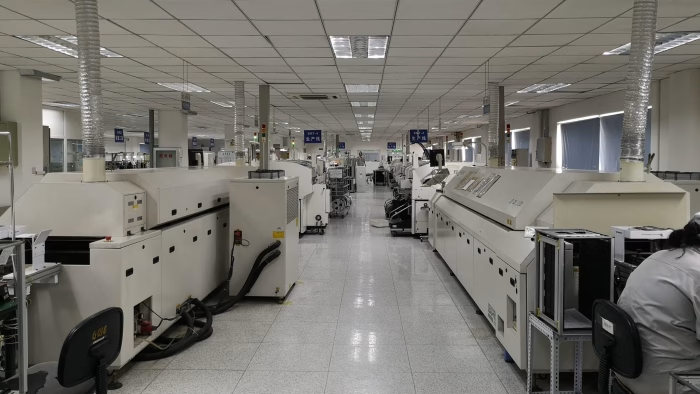
Table Of Contents
Contact Us
Phone: +86-18123905375
Email: sales@assemblepcb.com
WhatsApp: +86-18123905375
Wechat: +86-18123905375
Free Queto